 探客时代
探客时代

Intern
A next-generation code testing stack for JavaScript.
README
Intern
Software testing for humans

Intern is a complete test system for JavaScript designed to help you write and
run consistent, high-quality test cases for your JavaScript libraries and
applications. It can be used to test _any_ JavaScript code.
- Plain JavaScript code, in any module format (or no module format!)
- Web pages generated by server-side languages (like Java, PHP, or Ruby)
- Native or hybrid iOS, Android, and Firefox OS applications
- TypeScript code when running in Node, with no additional config
Intern is minimally prescriptive and enforces only a basic set of best practices
designed to ensure your tests stay maintainable over time. Its extensible
architecture allows you to write custom test interfaces, executors, and
reporters to influence how your tests run & easily integrate with your existing
coding environment. Intern also comes with Grunt tasks so it can be quickly
added to existing Grunt-based workflows, and is designed to work out-of-the-box
with popular continuous integration services like Jenkins and Travis CI.
If you’re into name-dropping, Intern gets used every day by teams at Twitter,
Stripe, Mozilla, IBM, Marriott, Philips, Zenput, Alfresco, Esri, HSBC, ING,
Intuit, and more. It’s also the testing framework of choice for
💡 If you’re an Intern user who’s new to Intern 4, see the
Changes from Intern 3 document for a summary of the
major differences. For Intern 3 documentation, please see
💡 Recently updated your browser and your WebDriver tests stopped working? You
may need to pin your WebDriver versions.
Quick start
1. Install from npm
sh
$ cd /my/project
$ npm install intern
2. Create an intern.json file in your project root.
js
{
"suites": "tests/unit/*/.js"
}
3. Verify that your configuration works by running Intern and checking that no
errors are output.
sh
$ ./node_modules/.bin/intern
4. Start writing tests!
TypeScript setup
Intern installs a global variable that tests may not be aware of if nothing
imports the base intern package. To ensure Intern’s types are loaded, add the
following to your tsconfig.json:
- ```json
- {
- "compilerOptions": {
- "types": ["intern"]
- }
- }
- ```
Alternatively, add a triple-slash directive to the top of your suite files:
- ```ts
- ///
- ```
Compatibility
Intern can run unit tests in most browsers that support ECMAScript 5, including
mobile browsers on Android and iOS, and in Node 6+. Note that Internet Explorer
9 is not supported.
Intern’s self-tests run against IE 10 and 11, Firefox 36 and current, Chrome 38
and current, and Safari 9 and 10, as well as the latest LTS and current versions
of Node.
Intern can run functional tests using WebDriver-compatible applications and
services, including Selenium, Appium, Selendroid. It has built-in support for
cloud testing services from BrowserStack,
SauceLabs, and TestingBot.
More information
- Getting started - Setting up Intern to test a
project
- Changes from Intern 3 - Major changes from Intern 3
to Intern 4
- How To - Quick answers to common questions
- Concepts - General testing concepts and definitions
- Architecture - How Intern is organized
- Configuration - How to configure Intern
- Writing tests - The various ways of writing tests
with Intern
- Running - How to run Intern
- Extending - Extending Intern with reporters and other
plugins
- API - Summary API documentation
- Continuous integration - Using Intern with CI systems
- Developing - For Intern developers
- Contributing - How to contribute to Intern development
Get help
The best place to ask questions and get answers about Intern is Stack Overflow.
Just tag your question with intern. If you have more immediate questions, or
just want to chat with other people interested in Intern, join the Gitter room
at theintern/intern. See the
Help page for more information.
License
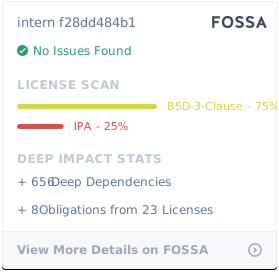
Intern is a JS Foundation project offered under the New BSD license.
© SitePen, Inc. and its
Intern’s self-tests run on
<!-- doc-viewer-config
{
"api": "docs/api.json",
"pages": [
"docs/getting_started.md",
"docs/changes_from_3.md",
"docs/how_to.md",
"docs/concepts.md",
"docs/architecture.md",
"docs/configuration.md",
"docs/writing_tests.md",
"docs/running.md",
"docs/ci.md",
"docs/extending.md",
"docs/developing.md"
]
}
-->

