 探客时代
探客时代

Lost Pixel
Holistic visual testing for your Frontend First class integration with Sto...
README







What is Lost Pixel ❓
Lost Pixel is an open source visual regression testing tool. Run visual regression tests on your Storybook and Ladle stories and on your application pages.
| Provider | Status | Description |
|---|---|---|
| ---------------- | :----: | ---------------------------------------------------------------------------------------------------------------------------------------------------------------------- |
| **Storybook** | ✅ | `First |
| **Ladle** | ✅ | `First |
| **Pages** | ✅ | Visual |
| **Custom | ✅ | Take |
Lost Pixel consists of two products:
- lost-pixel (_open BETA_) - the core engine driving the visual regression test runs. It could be used standalone and the main use-cases are outlined in the documentation
| What | What |
|---|---|
| ---------------------------------------------------------------------------------------------------------------------------- | ---------------------------------------------------------------------------------------------------------------------------- |
|  | 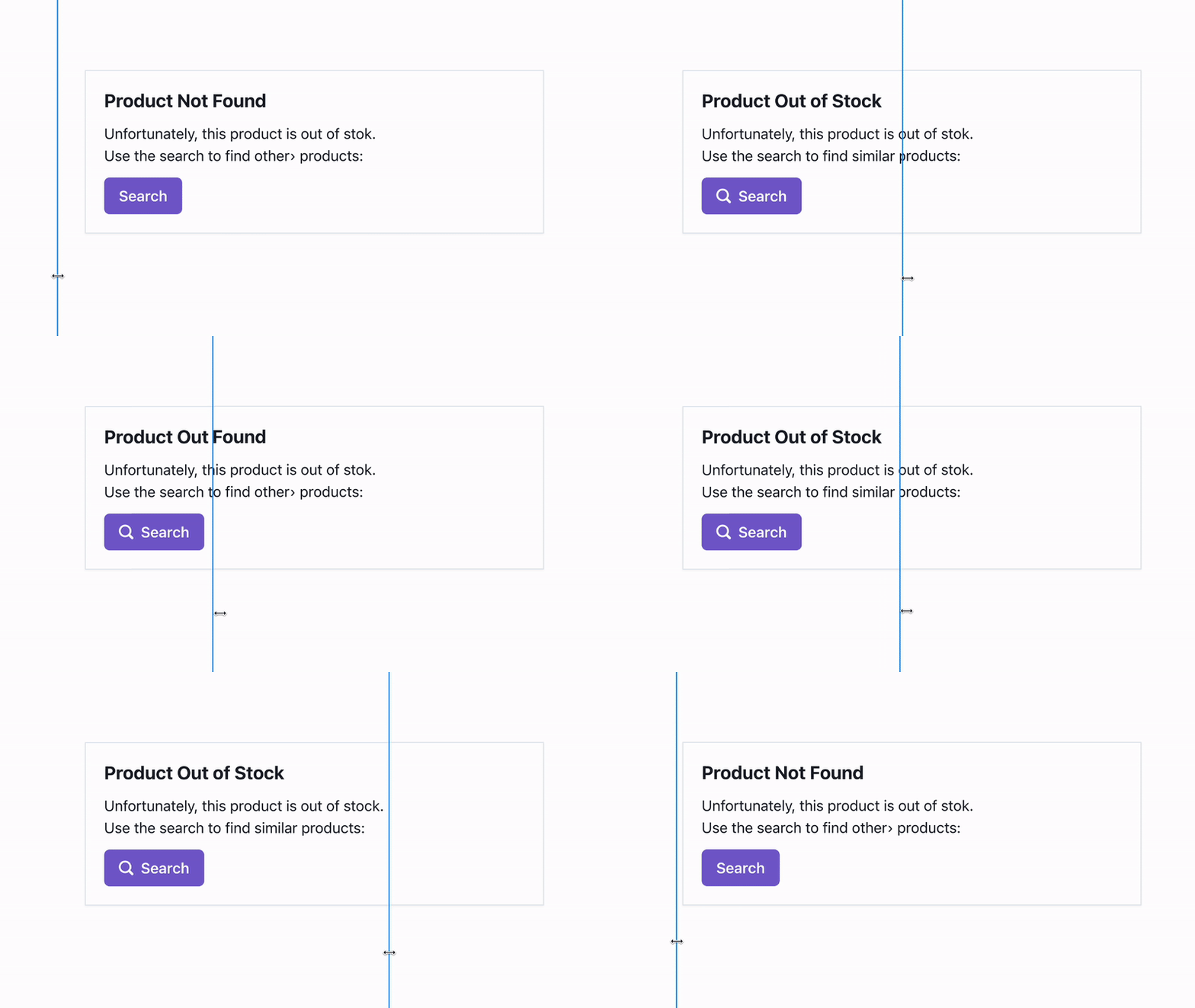 |
- lost-pixel-platform (_closed BETA_) - the UI and CI helpers that allow you to use lost-pixel's managed version. This includes specified regression UI, collaboration with team members and easy approval/rejection process for the snapshots. Configure it just once and enjoy hassle free visual regression tests integrated into your GitHub actions pipeline.
Quick start ⚡
Storybook 🖼
You can find more examples in the examples repository. You can learn more about Lost Pixel workflow and get more useful recipes in documentation.
Add lostpixel.config.ts at the root of the project:
- ```typescript
- import { CustomProjectConfig } from 'lost-pixel';
- export const config: CustomProjectConfig = {
- storybookShots: {
- storybookUrl: './storybook-static',
- },
- generateOnly: true,
- failOnDifference: true,
- };
- ```
Add GitHub action .github/workflows/lost-pixel-run.yml
- ```yml
- on: [push]
- jobs:
- build:
- runs-on: ubuntu-latest
- steps:
- - name: Checkout
- uses: actions/checkout@v2
- - name: Setup Node
- uses: actions/setup-node@v2
- with:
- node-version: 16.x
- cache: 'npm'
- - name: Install dependencies
- run: npm ci
- - name: Build Storybook
- run: npm run build-storybook
- - name: Lost Pixel
- uses: lost-pixel/lost-pixel@v2.23.0
- ```
Ladle example 🥄
Assuming you are using basic example of Ladle. This setup will run visual regression tests against all the ladle stories on every push.
You can find more examples in the examples repository. You can learn more about Lost Pixel workflow and get more useful recipes in documentation.
Add lostpixel.config.ts at the root of the project:
- ```typescript
- import { CustomProjectConfig } from 'lost-pixel';
- export const config: CustomProjectConfig = {
- ladleShots: {
- //ip should be localhost when running locally & 172.17.0.1 when running in GitHub action
- ladleUrl: 'http://172.17.0.1:61000',
- },
- generateOnly: true,
- failOnDifference: true,
- };
- ```
Update package.json with following scripts:
- ``` json
- "scripts": {
- "serve": "npx serve build -p 61000",
- "build": "ladle build"
- },
- ```
Add GitHub action .github/workflows/lost-pixel-run.yml
- ```yml
- on: [push]
- jobs:
- build:
- runs-on: ubuntu-latest
- steps:
- - name: Checkout
- uses: actions/checkout@v2
- - name: Setup Node
- uses: actions/setup-node@v2
- with:
- node-version: 16.x
- cache: 'npm'
- - name: Install dependencies
- run: npm install
- - name: Build ladle
- run: npm run build
- - name: Serve ladle
- run: npm run serve &
- - name: Lost Pixel
- uses: lost-pixel/lost-pixel@v2.23.0
- ```
Pages example(next.js) ⚛️
Assuming you are using basic example of Next.js. This setup will run visual regression tests againstselected pages on every push.
You can find more examples in the examples repository. You can learn more about Lost Pixel workflow and get more useful recipes in documentation.
Add lostpixel.config.ts at the root of the project:
- ```typescript
- import { CustomProjectConfig } from 'lost-pixel';
- export const config: CustomProjectConfig = {
- pageShots: {
- pages: [{ path: '/app', name: 'app' }],
- // IP should be localhost when running locally & 172.17.0.1 when running in GitHub action
- baseUrl: 'http://172.17.0.1:3000',
- },
- generateOnly: true,
- failOnDifference: true,
- };
- ```
Add GitHub action .github/workflows/lost-pixel-run.yml
- ```yml
- on: [push]
- jobs:
- build:
- runs-on: ubuntu-latest
- steps:
- - name: Checkout
- uses: actions/checkout@v2
- - name: Setup Node
- uses: actions/setup-node@v2
- with:
- node-version: 16.x
- cache: 'npm'
- - name: Install dependencies
- run: npm ci
- - name: Build Next app
- run: npm run build
- - name: Run Next app
- run: npm run start &
- - name: Lost Pixel
- uses: lost-pixel/lost-pixel@v2.23.0
- ```
Support 👨🏼💻
Ask a question about Lost Pixel
You can ask questions and initiate discussions about Lost Pixel.
❓ [Ask a question](https://github.com/lost-pixel/lost-pixel/discussions/new)
Create a bug report for Lost Pixel
If you see an error message or run into an issue, help us with creating a bug report!
🐛 [Create bug report](https://github.com/lost-pixel/lost-pixel/issues/new?assignees=&labels=kind%2Fbug&template=bug.yml)
Submit a feature request
If Lost Pixel at the moment doesn't support some mode or does not have a feature we would appreciate your thoughts!
🆕 [Submit feature request](https://github.com/lost-pixel/lost-pixel/issues/new?assignees=&labels=kind%2Ffeature&template=feature.yml)
Community
Want to chat about visual regression testing with likeminded people? We've started a community! Discuss your pipelines, tools, testing strategy, get faster support!

Join our Discord
Contributing 🏗️
Lost Pixel is open source in it's heart and welcomes any external contribution. You can refer to CONTRIBUTING.md to get going with the project locally in couple of minutes.

