 探客时代
探客时代

mailgen
A Node.js package that generates clean, responsive HTML e-mails for sending...
README
mailgen 
A Node.js package that generates clean, responsive HTML e-mails for sending transactional mail.
Programmatically create beautiful e-mails using plain old JavaScript.
Demo

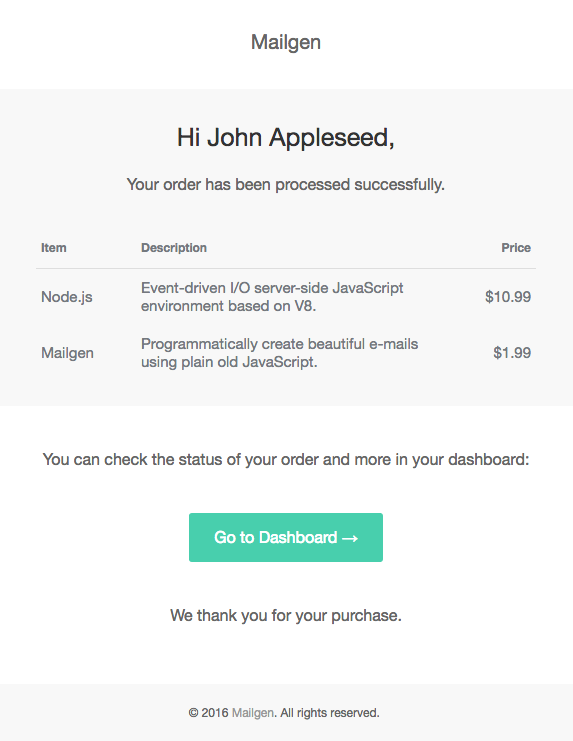
These e-mails were generated using the built-in salted theme.
Usage
First, install the package using npm:
- ``` sh
- npm install mailgen --save
- ```
Then, start using the package by importing and configuring it:
- ``` js
- var Mailgen = require('mailgen');
- // Configure mailgen by setting a theme and your product info
- var mailGenerator = new Mailgen({
- theme: 'default',
- product: {
- // Appears in header & footer of e-mails
- name: 'Mailgen',
- link: 'https://mailgen.js/'
- // Optional product logo
- // logo: 'https://mailgen.js/img/logo.png'
- }
- });
- ```
Next, generate an e-mail using the following code:
- ``` js
- var email = {
- body: {
- name: 'John Appleseed',
- intro: 'Welcome to Mailgen! We\'re very excited to have you on board.',
- action: {
- instructions: 'To get started with Mailgen, please click here:',
- button: {
- color: '#22BC66', // Optional action button color
- text: 'Confirm your account',
- link: 'https://mailgen.js/confirm?s=d9729feb74992cc3482b350163a1a010'
- }
- },
- outro: 'Need help, or have questions? Just reply to this email, we\'d love to help.'
- }
- };
- // Generate an HTML email with the provided contents
- var emailBody = mailGenerator.generate(email);
- // Generate the plaintext version of the e-mail (for clients that do not support HTML)
- var emailText = mailGenerator.generatePlaintext(email);
- // Optionally, preview the generated HTML e-mail by writing it to a local file
- require('fs').writeFileSync('preview.html', emailBody, 'utf8');
- // `emailBody` now contains the HTML body,
- // and `emailText` contains the textual version.
- //
- // It's up to you to send the e-mail.
- // Check out nodemailer to accomplish this:
- // https://nodemailer.com/
- ```
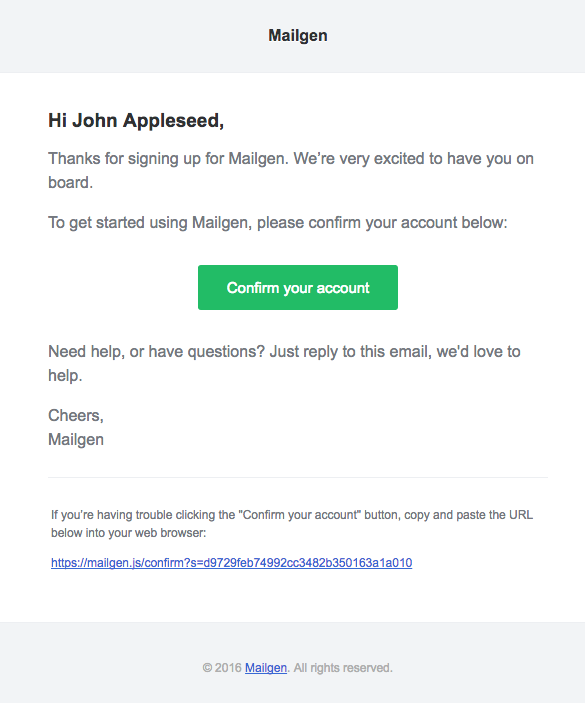
This code would output the following HTML template:
More Examples
Plaintext E-mails
To generate a plaintext version of the e-mail, simply callgeneratePlaintext():
- ``` js
- // Generate plaintext email using mailgen
- var emailText = mailGenerator.generatePlaintext(email);
- ```
Supported Themes
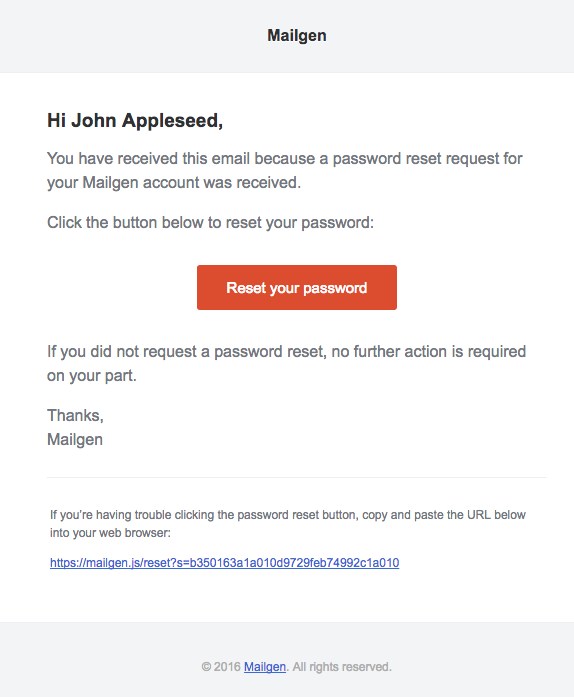
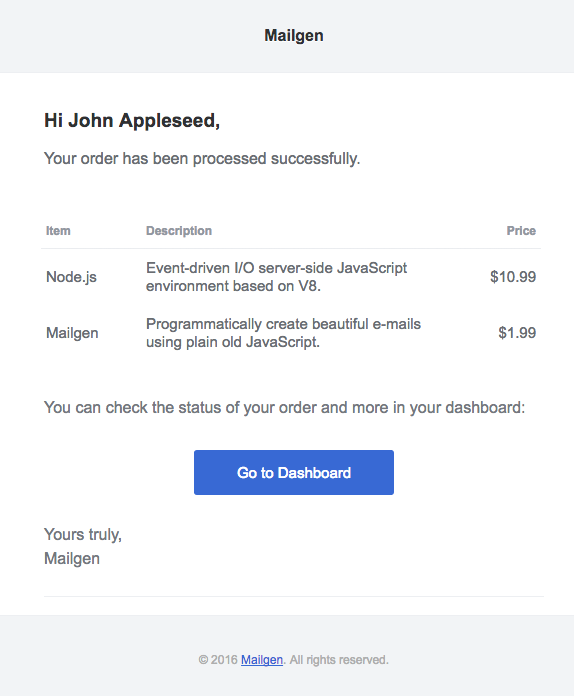
The following open-source themes are bundled with this package:
default by Postmark Transactional Email Templates
neopolitan by Send With Us

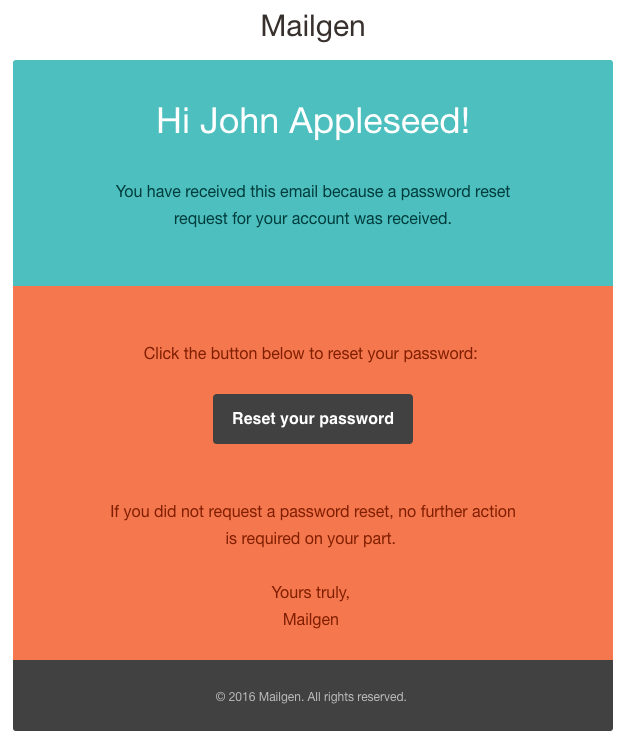

salted by Jason Rodriguez
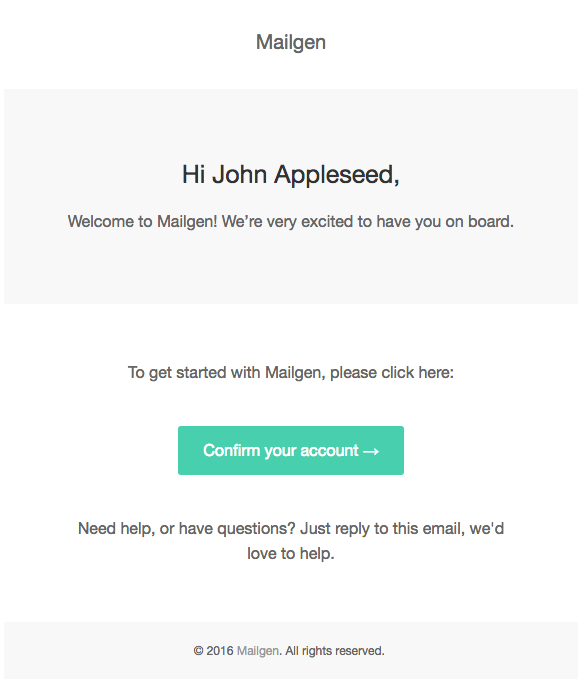
cerberus by Ted Goas
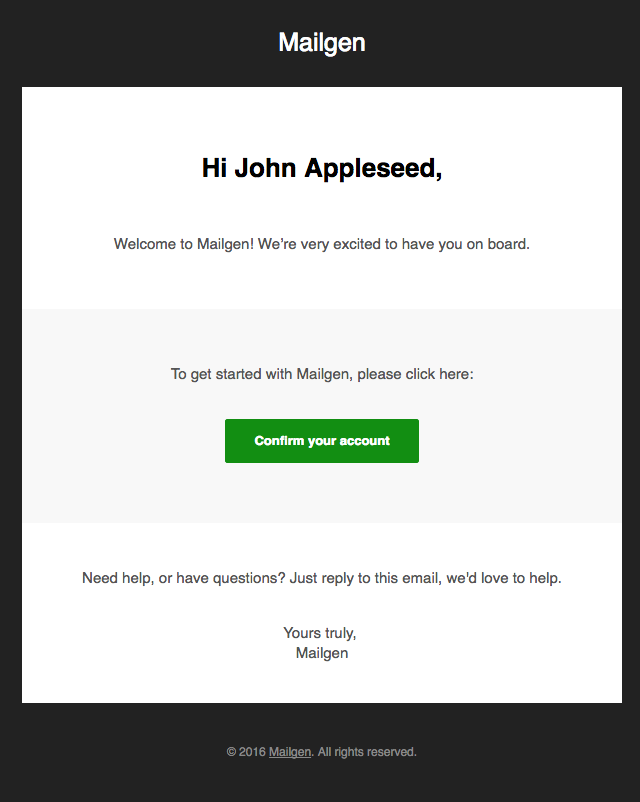
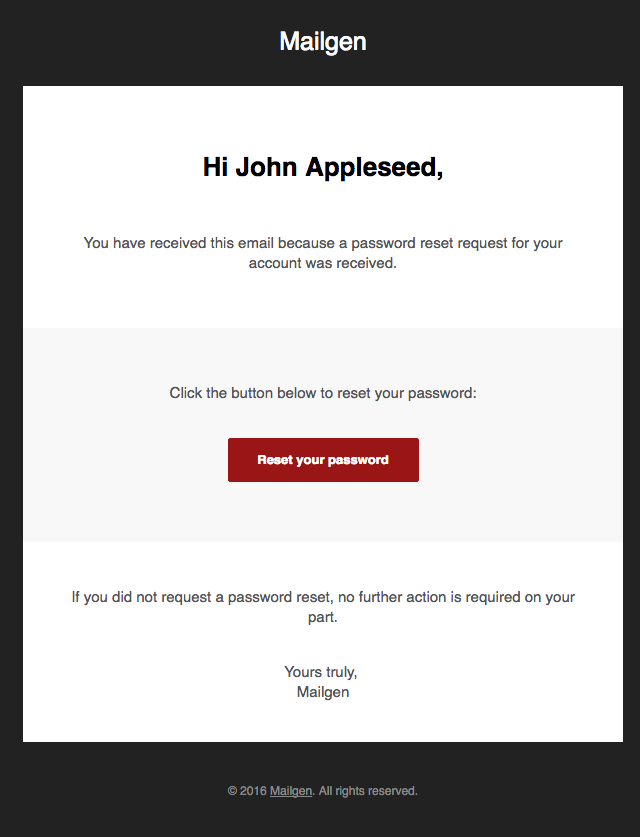

We thank the contributing authors for creating these themes.
Custom Themes
If you want to supply your own custom theme or add a new built-in theme, check out THEME.md for instructions.
RTL Support
To change the default text direction (left-to-right), simply override it as follows:
- ``` js
- var mailGenerator = new Mailgen({
- theme: 'salted',
- // Custom text direction
- textDirection: 'rtl',
- });
- ```
Custom Logo Height
To change the default product logo height, set it as follows:
- ``` js
- var mailGenerator = new Mailgen({
- product: {
- // Custom product logo URL
- logo: 'https://mailgen.js/img/logo.png',
- // Custom logo height
- logoHeight: '30px'
- }
- });
- ```
Language Customizations
To customize the e-mail greeting (Hi) or signature (Yours truly), supply custom strings within the e-mail body:
- ``` js
- var email = {
- body: {
- greeting: 'Dear',
- signature: 'Sincerely'
- }
- };
- ```
To not include the signature or greeting at all, set the signature or greeting fields to false:
- ``` js
- var email = {
- body: {
- signature: false,
- greeting: false // This will override and disable name & title options
- }
- };
- ```
To use a custom title string rather than a greeting/name introduction, provide it instead of name:
- ``` js
- var email = {
- body: {
- // Title will override `name`
- title: 'Welcome to Mailgen!'
- }
- };
- ```
To customize the copyright, override it when initializing Mailgen within your product as follows:
- ``` js
- // Configure mailgen
- var mailGenerator = new Mailgen({
- theme: 'salted',
- product: {
- name: 'Mailgen',
- link: 'https://mailgen.js/',
- // Custom copyright notice
- copyright: 'Copyright © 2016 Mailgen. All rights reserved.',
- }
- });
- ```
Multiline Support
To inject multiple lines of text for the intro or outro, simply supply an array of strings:
- ``` js
- var email = {
- body: {
- intro: ['Welcome to Mailgen!', 'We\'re very excited to have you on board.'],
- outro: ['Need help, or have questions?', 'Just reply to this email, we\'d love to help.'],
- }
- };
- ```
Elements
Mailgen supports injecting custom elements such as dictionaries, tables and action buttons into e-mails.
Action
To inject an action button in to the e-mail, supply the action object as follows:
- ``` js
- var email = {
- body: {
- action: {
- instructions: 'To get started with Mailgen, please click here:',
- button: {
- color: '#48cfad', // Optional action button color
- text: 'Confirm your account',
- link: 'https://mailgen.js/confirm?s=d9729feb74992cc3482b350163a1a010'
- }
- }
- }
- };
- ```
To inject multiple action buttons in to the e-mail, supply the action object as follows:
- ``` js
- var email = {
- body: {
- action: [
- {
- instructions: 'To get started with Mailgen, please click here:',
- button: {
- color: '#22BC66',
- text: 'Confirm your account',
- link: 'https://mailgen.js/confirm?s=d9729feb74992cc3482b350163a1a010'
- }
- },
- {
- instructions: 'To read our frequently asked questions, please click here:',
- button: {
- text: 'Read our FAQ',
- link: 'https://mailgen.js/faq'
- }
- }
- ]
- }
- };
- ```
You can enable a fallback link and instructions for action buttons in case e-mail clients don't render them properly. This can be achieved by setting button.fallback to true, or by specifying custom fallback text as follows:
- ``` js
- var email = {
- body: {
- action: [
- {
- instructions: 'To get started with Mailgen, please click here:',
- button: {
- color: '#22BC66',
- text: 'Confirm your account',
- link: 'https://mailgen.js/confirm?s=d9729feb74992cc3482b350163a1a010',
- fallback: true
- }
- },
- {
- instructions: 'To read our frequently asked questions, please click here:',
- button: {
- text: 'Read our FAQ',
- link: 'https://mailgen.js/faq',
- fallback: {
- text: 'This is my custom text for fallback'
- }
- }
- }
- ]
- }
- };
- ```
Table
To inject a table into the e-mail, supply the table object as follows:
- ``` js
- var email = {
- body: {
- table: {
- data: [
- {
- item: 'Node.js',
- description: 'Event-driven I/O server-side JavaScript environment based on V8.',
- price: '$10.99'
- },
- {
- item: 'Mailgen',
- description: 'Programmatically create beautiful e-mails using plain old JavaScript.',
- price: '$1.99'
- }
- ],
- columns: {
- // Optionally, customize the column widths
- customWidth: {
- item: '20%',
- price: '15%'
- },
- // Optionally, change column text alignment
- customAlignment: {
- price: 'right'
- }
- }
- }
- }
- };
- ```
To inject multiple tables into the e-mail, supply the table property with an array of objects as follows:
- ``` js
- var email = {
- body: {
- table: [
- {
- // Optionally, add a title to each table.
- title: 'Order 1',
- data: [
- {
- item: 'Item 1',
- description: 'Item 1 description',
- price: '$1.99'
- },
- {
- item: 'Item 2',
- description: 'Item 2 description',
- price: '$2.99'
- }
- ],
- columns: {
- // Optionally, customize the column widths
- customWidth: {
- item: '20%',
- price: '15%'
- },
- // Optionally, change column text alignment
- customAlignment: {
- price: 'right'
- }
- }
- },
- {
- // Optionally, add a title to each table.
- title: 'Order 2',
- data: [
- {
- item: 'Item 1',
- description: 'Item 1 description',
- price: '$2.99'
- },
- {
- item: 'Item 2',
- description: 'Item 2 description',
- price: '$1.99'
- }
- ],
- columns: {
- // Optionally, customize the column widths
- customWidth: {
- item: '20%',
- price: '15%'
- },
- // Optionally, change column text alignment
- customAlignment: {
- price: 'right'
- }
- }
- }
- ]
- }
- };
- ```
Note: Tables are currently not supported in plaintext versions of e-mails.
Dictionary
To inject key-value pairs of data into the e-mail, supply the dictionary object as follows:
- ``` js
- var email = {
- body: {
- dictionary: {
- date: 'June 11th, 2016',
- address: '123 Park Avenue, Miami, Florida'
- }
- }
- };
- ```
Go-To Actions
You can make use of Gmail's Go-To Actions within your e-mails by suppling thegoToAction object as follows:
- ``` js
- var email = {
- body: {
- // Optionally configure a Go-To Action button
- goToAction: {
- text: 'Go to Dashboard',
- link: 'https://mailgen.com/confirm?s=d9729feb74992cc3482b350163a1a010',
- description: 'Check the status of your order in your dashboard'
- }
- }
- };
- ```
Note that you need to get your sender address whitelisted before your Go-To Actions will show up in Gmail.
Troubleshooting
1. After sending multiple e-mails to the same Gmail / Inbox address, they become grouped and truncated since they contain similar text, breaking the responsive e-mail layout.
Simply sending the X-Entity-Ref-ID header with your e-mails will prevent grouping / truncation.
Contributing
Thanks so much for wanting to help! We really appreciate it.
Have an idea for a new feature?
Want to add a new built-in theme?
Excellent! You've come to the right place.
1. If you find a bug or wish to suggest a new feature, please create an issue first
2. Make sure your code & comment conventions are in-line with the project's style
3. Make your commits and PRs as tiny as possible - one feature or bugfix at a time
4. Write detailed commit messages, in-line with the project's commit naming conventions
Check out THEME.md if you want to add a new built-in theme to Mailgen.
License
Apache 2.0

